What is the pricing model?
▼
DismissPro is
free for 12 months after signup. After that it's
$199 per school per year, with unlimited admins and staff. Using all seven SchoolPro apps? All seven are $899 a school year instead of $1,393, or pick any 3 for $479. Each app has its own free period, and each one runs separately.
LibraryPro ·
See the free periods and the bundle. About 30 days before your year ends, we email you a link to renew. You can
pay by PayPal or card, or
ask for a quote, invoice or purchase order (Net 30; a W-9 is available).
DismissPro never renews automatically, and nothing is charged unless you choose to pay.
How do I sign up?
▼
Fill out the
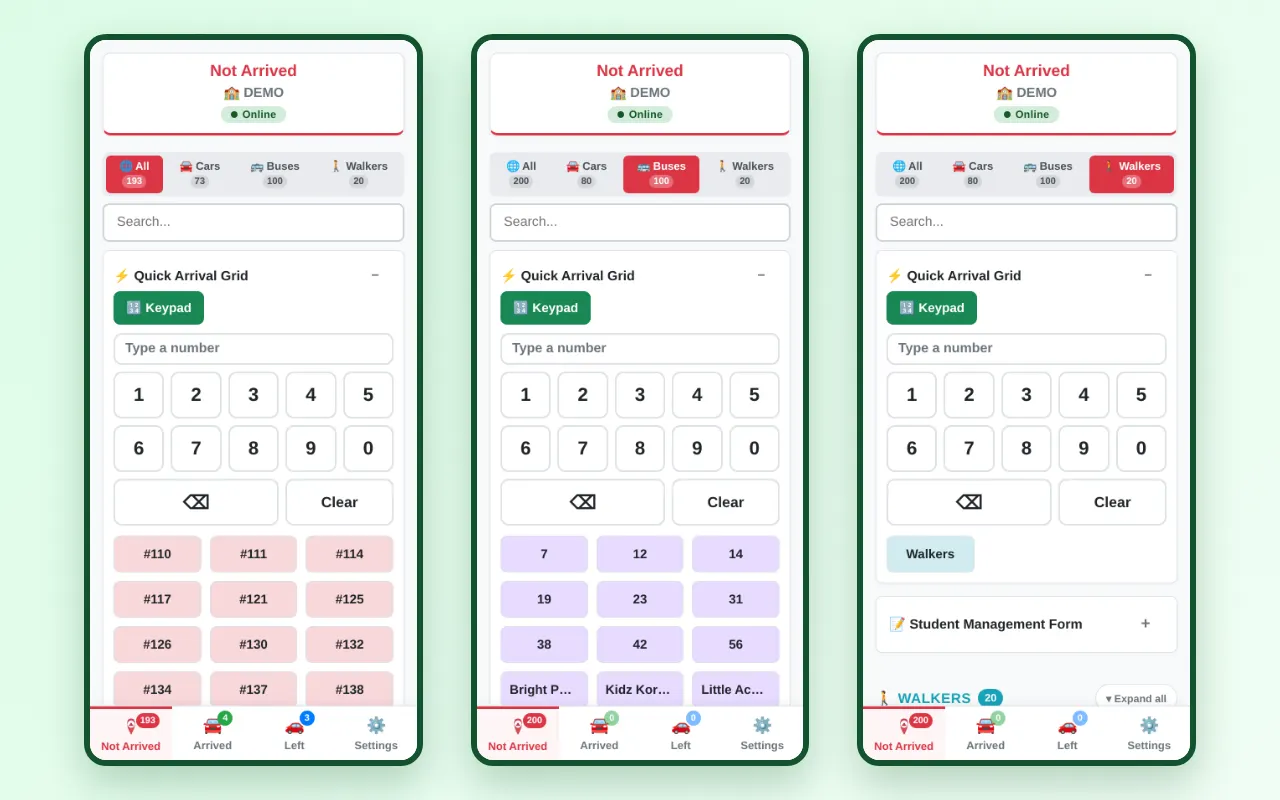
sign-up form at the bottom of this page. Start typing your school's name to find it and fill in the address automatically. Your school is set up instantly, you're signed in right away, and you can start adding students in minutes.
What happens when the free trial ends?
▼
We'll email a renewal link 30 days before your year ends, a reminder 7 days before, and a final notice on the last day. You can pay by PayPal or card, or ask for an invoice or purchase order. DismissPro never renews automatically. If it isn't renewed, your account stays open for a 7-day grace period (30 days if you asked for an invoice) and is then paused. Nothing is ever deleted: your students, settings and dismissal history are kept, and renewing reactivates your account right away.
Who can use it? Does every staff member need an account?
▼
Everyone at your school signs in with your School ID. Admins use the admin password and can manage students, rosters, alerts and settings. Teachers and staff share one staff password, which your admin can change at any time in Settings. There's no limit on how many people can use it.
What devices does it work on?
▼
Any phone, tablet, Chromebook or computer with a web browser. There's nothing to install, and you can add DismissPro to your home screen so it opens like an app.
What happens if the school Wi-Fi goes down during dismissal?
▼
Keep working. DismissPro saves your changes on the device while you're offline (you'll see a red Offline badge at the top of the screen) and syncs them automatically as soon as the connection comes back.
What if the power goes out?
▼
Schools should have a backup plan for power outages. Handheld radios are a great backup because they work during a power loss or the rare server outage. It's also a good idea for all staff involved with dismissal to have a printed roster with car and bus numbers. Admins can download it from Settings → Admin Tools → Download Master Roster.
How do we import our student roster?
▼
Admins go to Settings → Admin Tools, download the roster template, fill it in, and choose Bulk Upload Master Roster. For walkers, leave the car and bus numbers blank or 0.
Can teachers filter to only see their grade or classroom?
▼
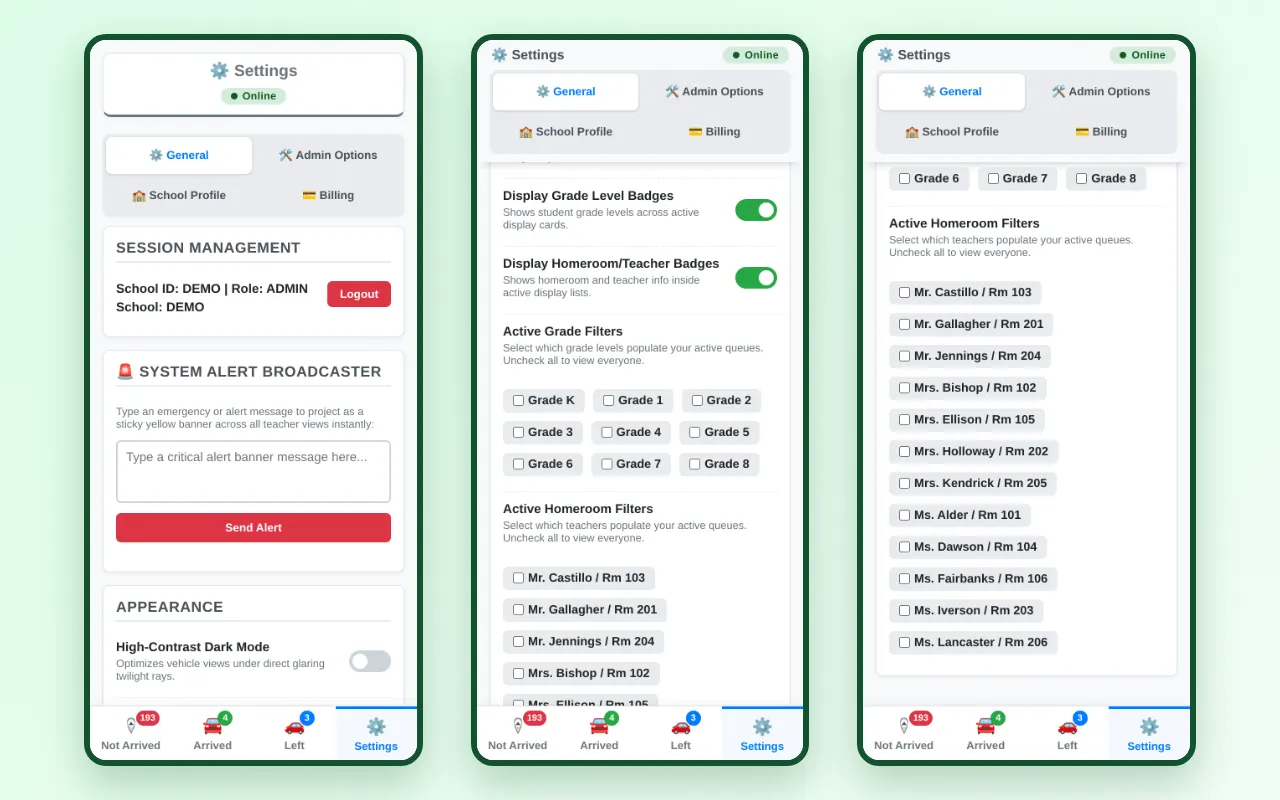
Yes! Teachers can set homeroom and grade-level filters in Settings with a single click. Their screens then show only the students in their class, keeping them clean and focused.
How do I change a child between car rider, bus rider and walker?
▼
On the Not Arrived page, open the student's card and tap Car, Bus or Walker under their name. Then choose Just today or From now on. To move everyone in a car at once, use the Whole group switch at the top of the card. Only admins can change rides.
A student is going home with a friend just for today. What do I do?
▼
An admin taps
📅 Today on the student's card and enters the car number of the family picking them up, or a bus number, or chooses Walker. The student moves to that car for the day with a yellow
Today only badge, and their usual car shows where they went. Tomorrow everything goes back to normal automatically.
See how it works.
What if a student is absent, or a child doesn't get on the bus?
▼
Tap
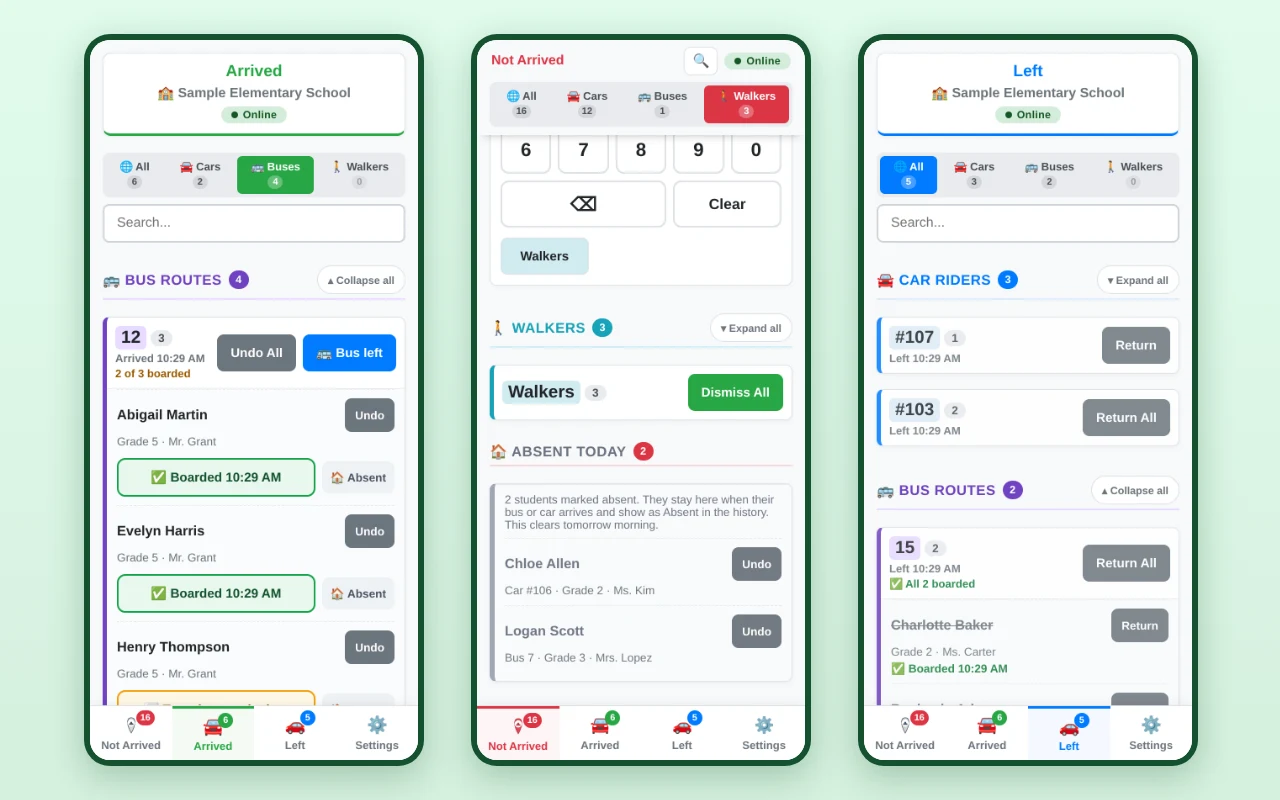
🏠 Absent on the student, on Not Arrived or Arrived. They stay off Arrived when their bus or car comes, aren't counted, and show as Absent in your history. It clears the next morning. At the buses, staff tap each rider as they get on, and the bus card counts them, like "9 of 10 boarded". When you tap
🚌 Bus left, anyone not marked boarded stays on Arrived so you can find them.
How it works
What if a bus breaks down?
▼
An admin opens that bus's card, taps
🔁 Sub bus today and types the replacement bus number. Everyone on the broken-down bus moves to the replacement bus for the day, and every screen can get an alert like "Bus 12 is running as Bus 31 today". Staff can still search the old bus number to find it. Tomorrow everyone is back on their usual bus automatically.
See how it works.
Can parents see when their child gets off the bus?
▼
Yes, if your bus or transportation company signs up for free SchoolPro Bus. Drivers mark each student on and off, and parents see the time, the stop and an estimated arrival in the SchoolPro Rides app. Parents don't see a map or any other child. An admin can send the company the link from Settings, under 🚌 Bus Company. Dismissal in DismissPro works the same either way.
How do we enter daycare or after-school providers?
▼
Daycare providers are entered in the same place as bus numbers. The bus number field accepts text as well as numbers, for example: Kindercare, After-School All-Stars, YMCA.
How do I send an alert to all staff?
▼
Admins can type a message in Settings → System Alert Broadcaster, or tap the megaphone button next to a student or car to put that name on the yellow alert banner on everyone's screen. The button turns yellow while that name is showing; tap it again to remove the name. Tap the on the banner to clear the alert for everyone. Alerts clear automatically each night.
I forgot my password. What do I do?
▼
Admins: use Forgot admin password? on the sign-in page and we'll email you a reset link. Staff: ask your school admin, who can set a new staff password in Settings.
Are daily logs saved?
▼
Yes! Every dismissal is saved the moment it happens, in your local time zone. Admins can download any date range as a spreadsheet from Settings → Admin Tools → Download Dismissal History.
How long are records kept?
▼
Dismissal records are kept for as long as your state requires. For example, Tennessee requires 5 years. They are never deleted automatically, and if a school closes its account, its records are archived rather than erased.
Is our student data safe?
▼
Yes. DismissPro does not sell data, use targeted ads, or share student information with unvetted third parties. Passwords are never stored in plain text, and each school can only see its own students. Read our
Student Data Privacy and Security Policy.
Why aren't my records resetting every day?
▼
The board resets automatically each night and when the first person opens DismissPro the next morning. If a screen was left open overnight, refresh the page or reopen the app. Still seeing yesterday's students?
Contact us.
Do you offer in-person assistance?
▼
Free in-person setup help is available within 1 hour of Shelby County, TN. Outside that area, in-person help is available for a daily rate.
Contact us to set it up.
Can we see a live demonstration?
▼
Yes! Try it right now with the
View Admin Demo and
View User Demo buttons above, no sign-up needed. The demo starts fresh every morning, so feel free to experiment. To see DismissPro in action at a participating school in Memphis, TN,
contact us.